Usage
Basic usage
The simplest way to generate a code image:
This returns raw PNG bytes using the default settings (Python syntax, Dracula theme, Hack font at 26pt).
Save to file
The output format is determined by the file extension (.png, .jpg, etc.).
Write bytes to file manually
Customization
Themes
# Use a specific theme
png = silicate.generate(code, theme="Nord")

# List all available themes
for theme in silicate.list_themes():
    print(theme)
Available themes include: 1337, Coldark-Cold, Coldark-Dark, DarkNeon, Dracula, GitHub, Monokai Extended, Nord, OneHalfDark, OneHalfLight, Solarized (dark), Solarized (light), Sublime Snazzy, TwoDark, Visual Studio Dark+, gruvbox-dark, gruvbox-light, zenburn, and more.
Here's the same code rendered with different themes:
Dracula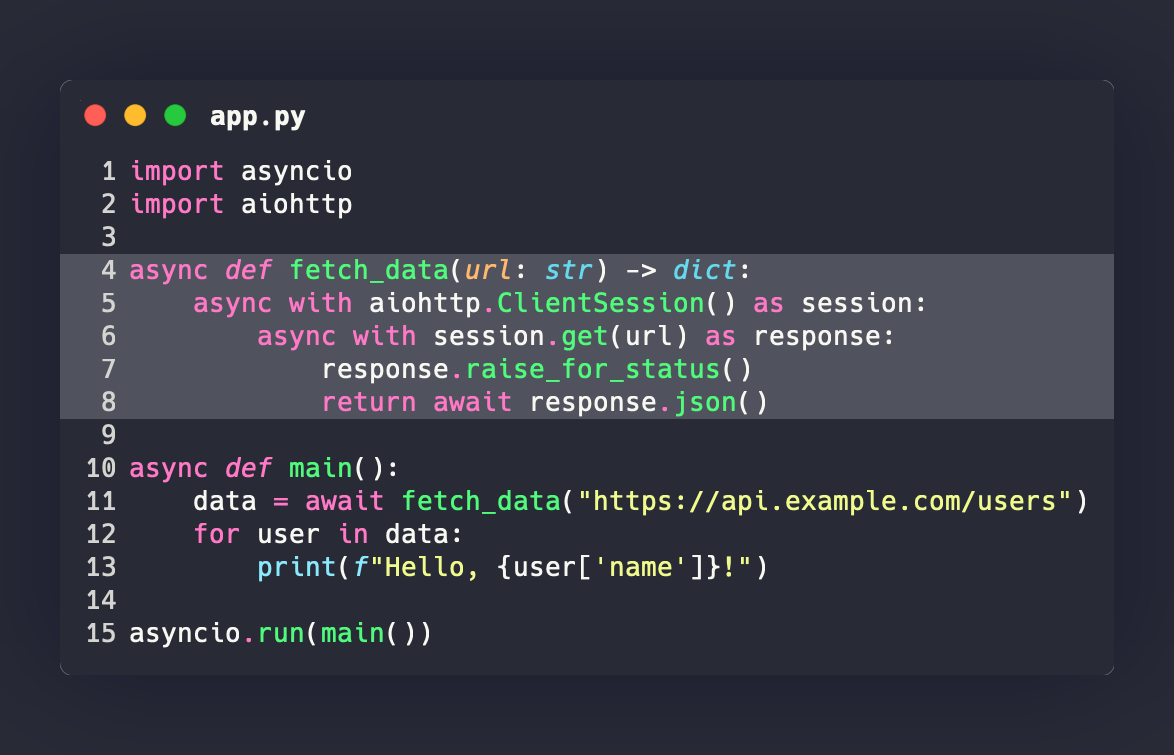 |
Nord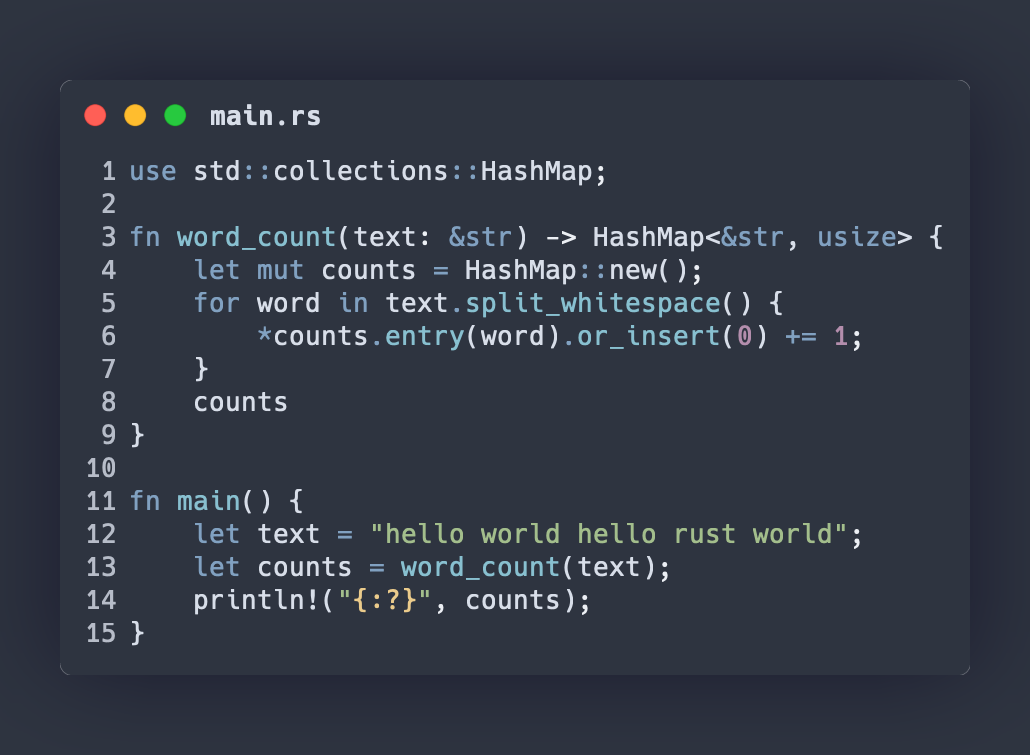 |
Monokai Extended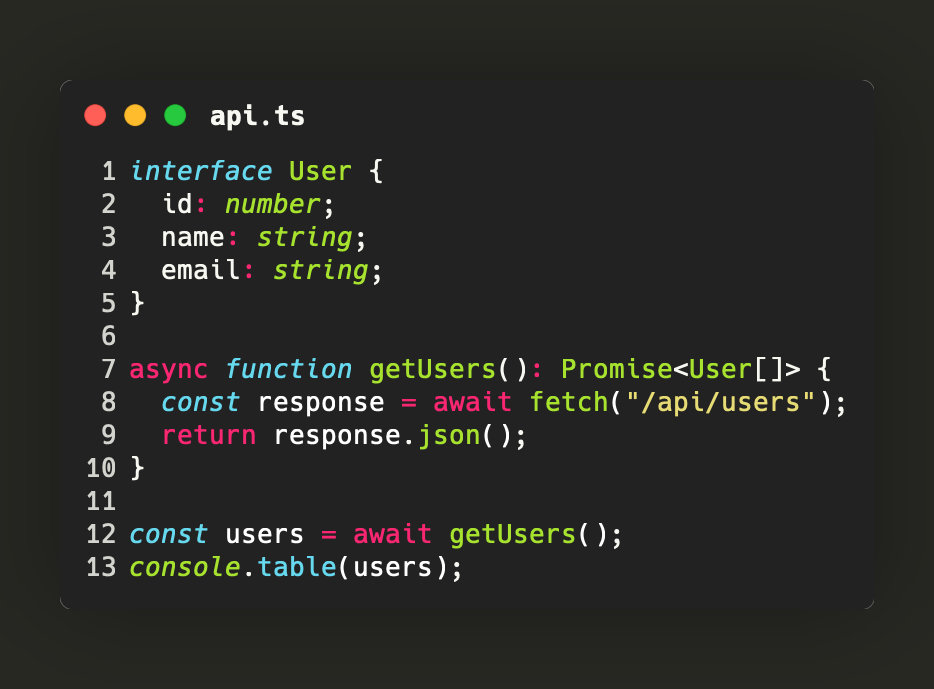 |
GitHub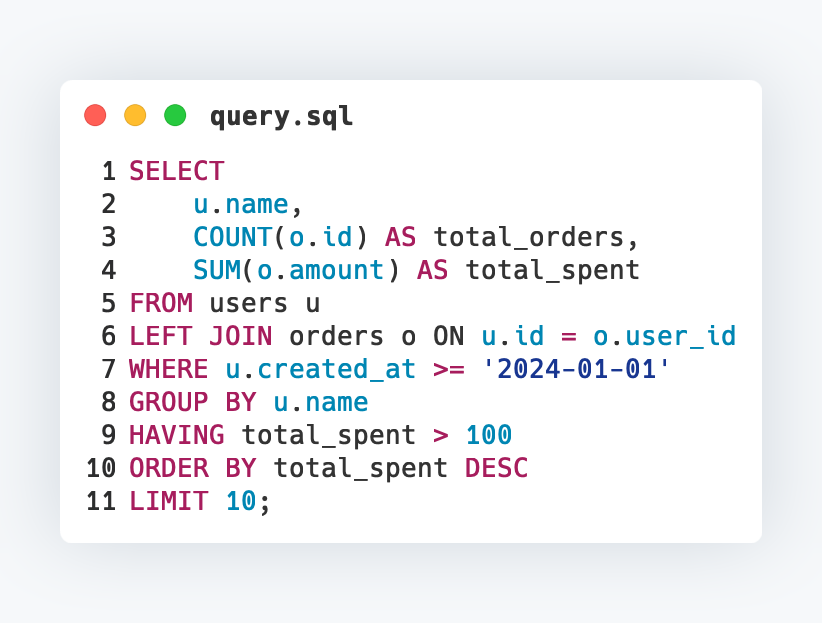 |
Languages
# Specify language by name or file extension
png = silicate.generate(code, language="rust")
png = silicate.generate(code, language="rs")

# List all available languages
for name, extensions in silicate.list_languages():
    print(f"{name}: {extensions}")
Fonts
# Use a system font
png = silicate.generate(code, font=[("Menlo", 24.0)])

# Multiple fonts (fallback chain)
png = silicate.generate(code, font=[("Fira Code", 24.0), ("Hack", 24.0)])
The default font is Hack at 26pt, which is bundled with Silicon.
Window appearance
# Window title
png = silicate.generate(code, window_title="main.py")

# Hide window controls (the red/yellow/green dots)
png = silicate.generate(code, show_window_controls=False)

# Hide line numbers
png = silicate.generate(code, show_line_numbers=False)

# Square corners
png = silicate.generate(code, round_corner=False)
Background and shadow
# Custom background color
png = silicate.generate(code, background="#2e3440")

# Custom shadow
png = silicate.generate(
    code,
    shadow_color="#1a1a2e",
    shadow_blur_radius=80.0,
)

# No shadow (set blur to 0 and match background)
png = silicate.generate(
    code,
    background="#282a36",
    shadow_color="#282a36",
    shadow_blur_radius=0.0,
    pad_horiz=40,
    pad_vert=40,
)
Colors are specified as hex strings: #RGB, #RGBA, #RRGGBB, or #RRGGBBAA.
Line highlighting
Padding and spacing
png = silicate.generate(
    code,
    pad_horiz=40,      # Horizontal padding (default: 80)
    pad_vert=60,       # Vertical padding (default: 100)
    line_pad=4,        # Spacing between lines (default: 2)
    line_offset=10,    # Starting line number (default: 1)
    tab_width=2,       # Spaces per tab (default: 4)
)
Full example
import silicate

code = """\
async def fetch_data(url: str) -> dict:
    async with aiohttp.ClientSession() as session:
        async with session.get(url) as response:
            response.raise_for_status()
            return await response.json()
"""

silicate.to_file(
    code,
    "api_call.png",
    language="python",
    theme="Nord",
    font=[("Fira Code", 24.0)],
    window_title="api.py",
    highlight_lines=[4],
    background="#2e3440",
    shadow_color="#1a1a2e",
    shadow_blur_radius=60.0,
    pad_horiz=60,
    pad_vert=80,
)
The code above produces:
